 Sheafwriter
 vs Vellum
Vellum is a Mac app for turning a finished manuscript into polished ebooks and print interiors, with dozens of styles. Sheafwriter is a writing app that also typesets: you plan, draft and revise the novel in it, then produce the print-ready PDF, the print cover and the EPUB from the same project.
How do Sheafwriter and Vellum compare?
| Sheafwriter | Vellum | |
|---|---|---|
| Price | Free during the beta. No account, no subscription | Vellum Ebooks $199.99 (unlimited ebooks) or Vellum Press $249.99 (unlimited ebooks and paperbacks). One-time purchase. Free to download and use; a purchase is needed to generate files for publishing |
| Systems | macOS, Windows and Linux (public beta); iPhone, iPad and Android planned | Mac only (macOS 14 or newer) |
| Writing the book | Binder of chapters and scenes, focus and typewriter modes, goals, sprints, history and snapshots | A text editor in which you can correct, format or write a book |
| Plot, timeline, story bible | Plot grid, chronology, character and place sheets, series bible | Not among Vellum’s documented features |
| Import | Scrivener (.scriv) and Word (.docx) | Word (.docx) |
| Print interior | Three styles; hyphenation by language, widow and orphan control; KDP, IngramSpark, Ridero or a custom size in mm; PDF/X-1a for IngramSpark | Dozens of built-in styles; hyphenation, widow handling and spread balancing; 24 trim sizes plus large print; PDF/X-1a; paperback or hardcover |
| Print cover | One PDF with back, spine and front, sized from the page count, with an ISBN barcode | Not included — the cover is a separate file you upload to the printer |
| Ebook | EPUB 3 | EPUB 3 or EPUB 2, optional MOBI for advance copies, files prepared for each store |
| How the book is stored | A folder of plain Markdown files on your computer | A Vellum file saved on your Mac |
Do I need Vellum if I write in Sheafwriter?
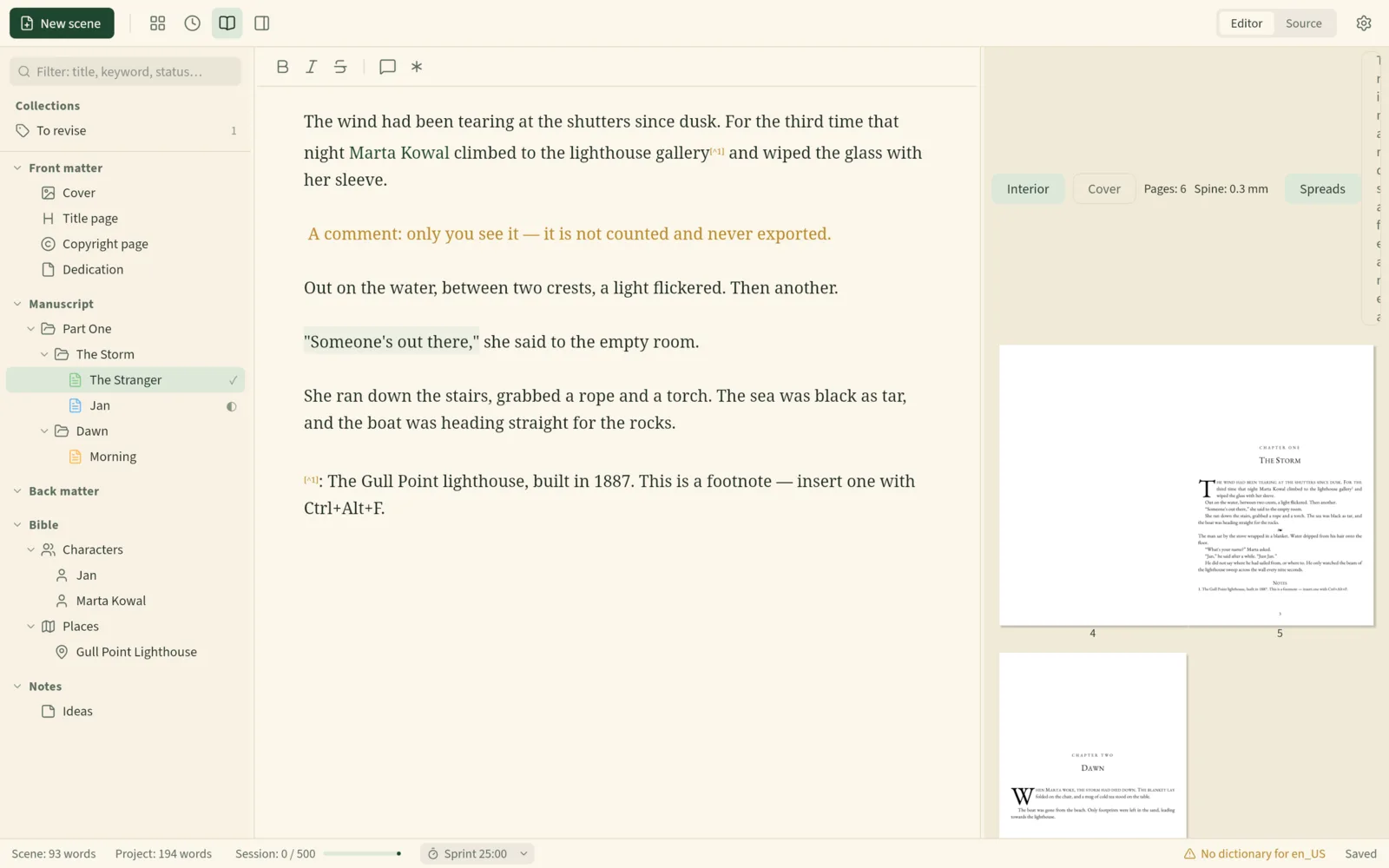
Not for a standard novel. Sheafwriter typesets the interior with proper paragraph-level line breaking, hyphenation and widow control, checks the file before you save it, and exports the EPUB from the same text. Change a sentence the night before publication and the print PDF, the cover’s spine width and the ebook all follow, with no export-and-import step between two programs.
Where is Vellum stronger?
- Choice of designs. Vellum offers dozens of built-in styles; Sheafwriter has three.
- Trim sizes and editions. 24 trim sizes plus large-print presets, and hardcover as well as paperback.
- Store-ready ebook files for Kindle, Apple Books, Kobo and others, with links to your other books in each store.
- Box sets and anthologies assembled from existing books.
- Accessible output checked against the ACE accessibility checker.
- Maturity. Vellum is a finished product; Sheafwriter is in beta.
Where is Sheafwriter stronger?
- It is where you write the book, with a binder, goals, history, a plot grid and timeline and a story bible.
- It makes the print cover — back, spine and front, with a barcode — which Vellum leaves to other tools.
- It is not Mac-only by design: Windows and Linux builds are in testing.
- Custom trim sizes in millimetres, with bleed and paper thickness.
- Typography for six languages: hyphenation, dialogue dashes and quotation marks follow English, Polish, German, Spanish, French or Portuguese rules.
- Plain Markdown files instead of an app-specific file.
When is Vellum the better choice?
If your book is already written, you are on a Mac, and you want the widest choice of polished templates, hardcover and large-print editions, or box sets, Vellum is the specialist. You can download it and preview your book before paying.
When is Sheafwriter the better choice?
- You want one desktop app from the first scene to a print-ready PDF and an EPUB.
- You want your book in plain Markdown files you own, readable in any text editor and synced with whatever you already use.
- You plan with plot threads, a story timeline and a story bible, including one bible shared by a whole series.
- You want no account, no subscription and no AI, and an app that never connects to the internet.
Sheafwriter is in beta, so expect rough edges. The Windows and Linux builds are newer and less tested than the Mac one, and there is no mobile app yet. It has three book styles for print, fewer than dedicated formatting apps, no real-time co-writing and no built-in cloud.
Frequently asked questions
Is there a Vellum alternative for Windows or Linux?
Vellum is only available for Mac. Sheafwriter’s public beta runs on Mac, Windows and Linux.
Can Sheafwriter replace Vellum for formatting a novel?
For a standard novel, yes: it typesets a print-ready PDF with hyphenation and widow control and exports EPUB 3. It has three book styles, fewer than Vellum, and no hardcover or box-set tools.
Does Vellum make the print cover?
No. According to Vellum’s help pages, the print cover is a separate file that you upload to the print service. Sheafwriter generates the full cover PDF with spine and barcode.
Is Sheafwriter free?
Sheafwriter is free during the beta, with no account and no subscription.
Try the free public beta In beta testing · macOS, Windows, Linux