 Sheafwriter
Write your novel in Markdown files you own
A Sheafwriter project is an ordinary folder of Markdown files — one per scene — that you can open in any text editor, sync with any service and keep under version control. The app adds what a plain editor lacks: a binder, a story bible, a plot grid, goals, and typesetting for print and ebook.
Why write a novel in plain text?
Because the files outlive the software. Plain text opens on any computer, now and in thirty years. It syncs cleanly, compares cleanly in version control, and never traps your book inside one company’s format or account.
What plain text lacks is everything around the words: an overview of two hundred scenes, a place for characters, word-count goals, and a way to turn the result into a book. That is the part Sheafwriter adds, without changing how the text is stored.
What does a Sheafwriter project look like on disk?
project.md— title, author, language and settings for the book.manuscript/— chapters as folders and scenes as Markdown files, each with a short front-matter block for its title, status, point of view and plot threads.notes/— research, plans and jottings.bible/characters/andbible/places/— one sheet per character and place.
You can open, edit, move and rename these files with other programs. If a file changes on another computer while you have unsaved edits, Sheafwriter asks which version to keep, and the other one always goes into the scene’s history.
Do I have to type Markdown syntax?
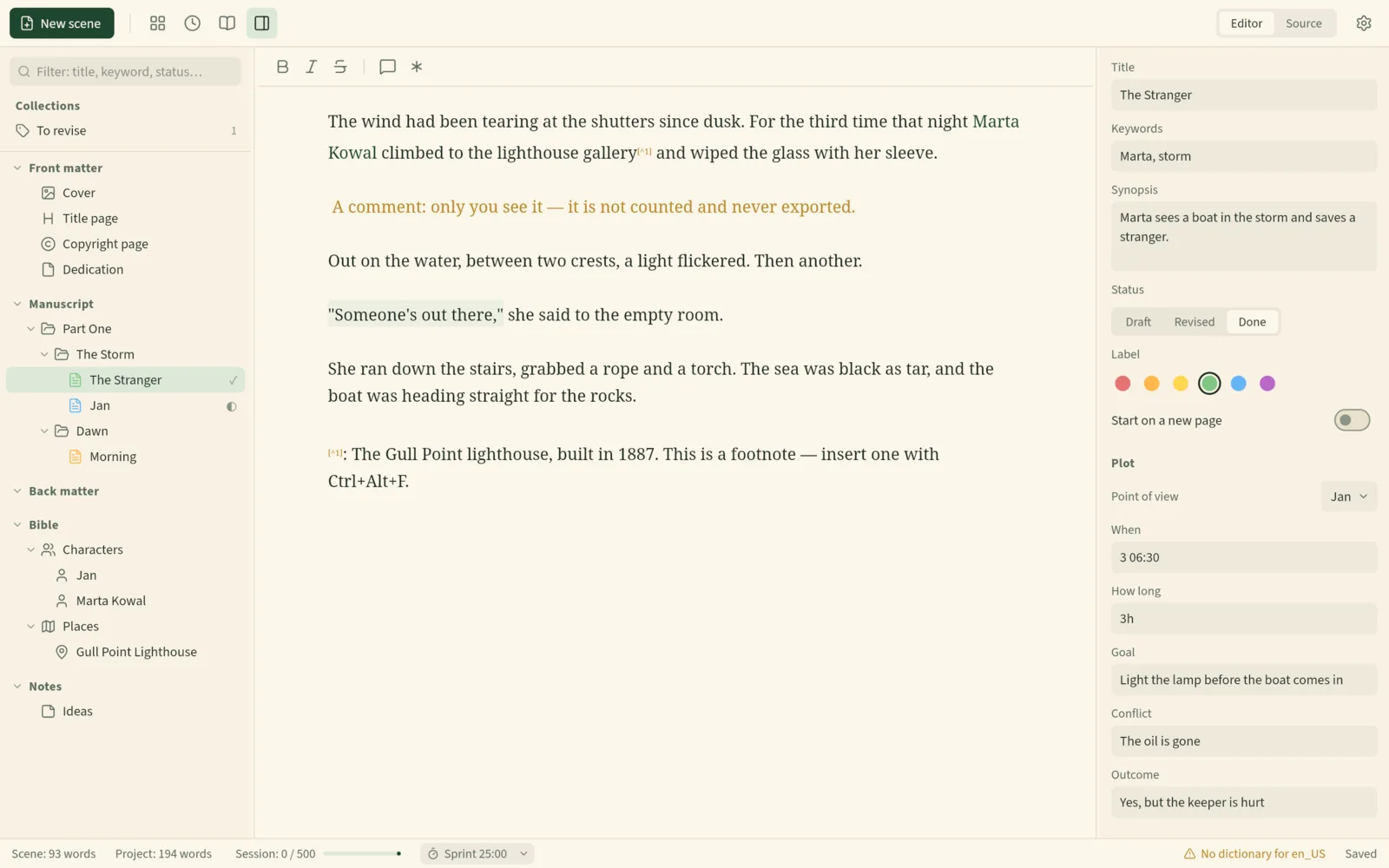
No. The editor has two views. Editor works like a word processor: bold and italics are shown, and the Markdown markers are hidden. Source shows the plain Markdown. Switch whenever you like — it is the same file.
What Markdown does it use for fiction?
**bold**and*italic*, and strikethrough.***for a scene break.[^1]footnotes — exported as real Word footnotes in DOCX, at the end of the chapter in PDF, and as linked notes in EPUB.%% comments %%that are for you only: not counted and never exported.
How do I sync and back up a Markdown novel?
However you like. The project is a folder, so it works with Syncthing, Dropbox or any other file-sync service, and with Git. Sheafwriter itself has no cloud and never connects to the internet.
It also protects the text on its own: every scene gets automatic history and named snapshots, deleted items go to a trash you can restore from, and a ZIP backup of the whole project is made when you close it.
How does Markdown become a printed book?
From the same files, Sheafwriter exports DOCX in standard manuscript format, a single Markdown file, an EPUB 3 ebook, and a typeset, print-ready PDF with hyphenation and widow control — see print typesetting. You do not need Pandoc, LaTeX or a separate formatting app.
Is there a mobile app?
Not yet. Sheafwriter is a desktop app: the public beta runs on macOS, Windows and Linux, and iPhone, iPad and Android apps are planned. Because the project is plain Markdown, you can already read or edit scenes on a phone with any text editor.
The manual chapter Getting started covers creating and importing projects.
Frequently asked questions
Can I open my Sheafwriter project in another editor?
Yes. A project is a folder of plain Markdown files, readable and editable in any text editor.
Can I keep my novel in Git?
Yes. The project is a folder of plain text files, so it works with version control and with any file-sync service.
Do I need to know Markdown to use Sheafwriter?
No. The Editor view works like a word processor and hides the Markdown markers. The Source view shows them if you want them.
Can I import an existing manuscript?
Yes. Sheafwriter imports Scrivener projects (.scriv) and Word documents (DOCX).
Try the free public beta In beta testing · macOS, Windows, Linux