 Sheafwriter
Format your book for print, in the app you wrote it in
Sheafwriter typesets your novel into a print-ready PDF for KDP, IngramSpark and other printers, with hyphenation, widow and orphan control and a live book preview. It also builds the print cover — back, spine and front — from the page count, and exports an EPUB 3 ebook from the same text.
How do I format a book for KDP or IngramSpark?
- Open File ▸ Typesetting & Publishing… and choose an interior style — Classic, Modern or Literary — each shown with a preview of a chapter opening.
- Pick the paper and the details: white or cream paper, whether chapters start on the right-hand page, the drop cap, the scene separator, the typeface, text size, running head and chapter labels.
- Choose the print target: KDP, IngramSpark, Ridero, popular formats or your own size in millimetres, with bleed and paper thickness.
- Fill in the Publishing data: ISBNs for print and ebook (checked against the ISBN checksum as you type), publisher, year, edition, Thema categories, BISAC codes, keywords, the book description and the author bio.
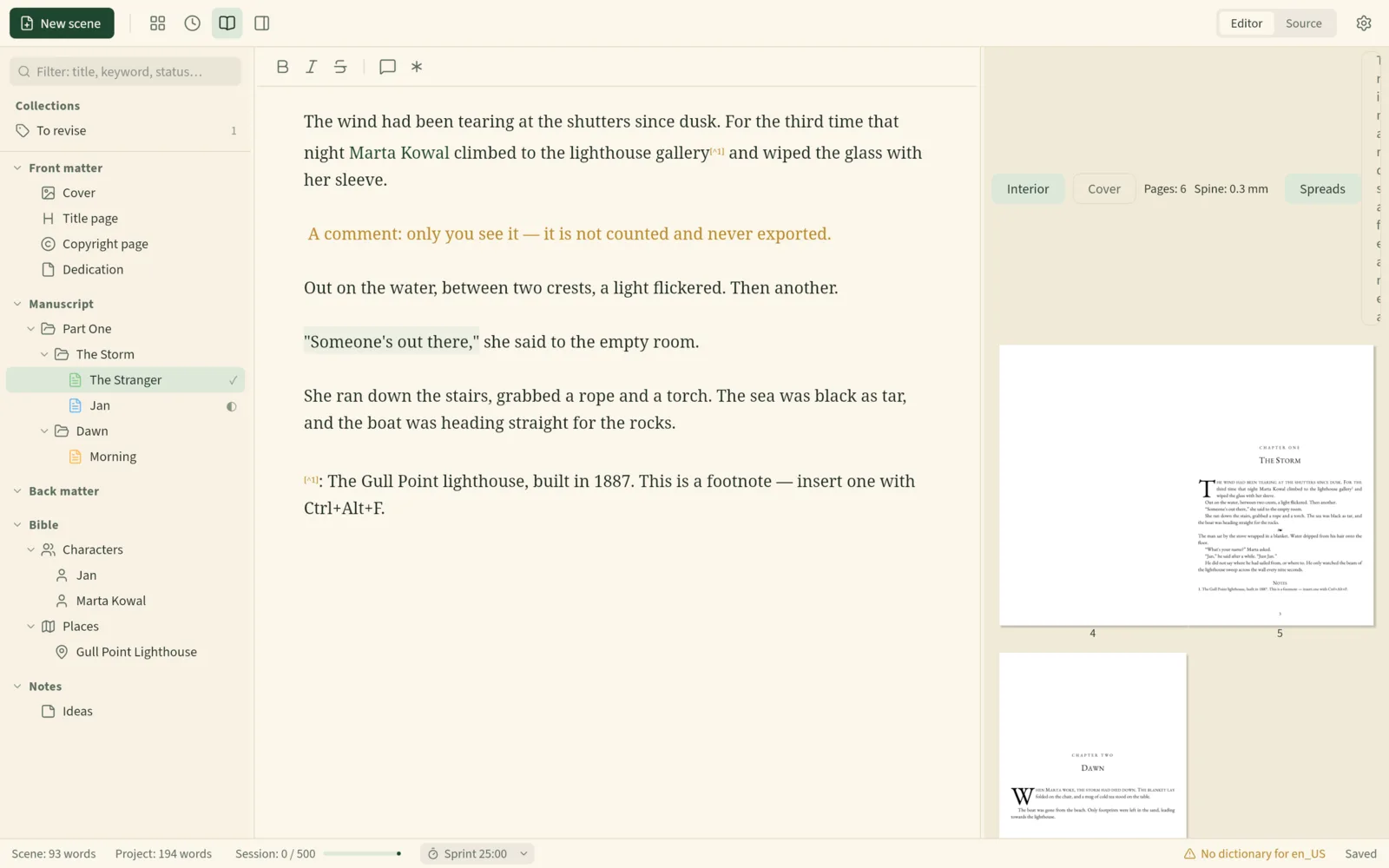
- Watch the book preview while you revise, then save the print-ready PDF. Sheafwriter typesets the book first and lists anything that needs attention.
All of these choices are saved in the project, so they travel with the book.
What does “real typesetting” mean here?
A word processor breaks lines one at a time. Sheafwriter sets whole paragraphs with Knuth–Plass line breaking — the method used by professional typesetting systems — so word spacing stays even across the paragraph. It hyphenates by the rules of the book’s language and controls widows and orphans, the single lines stranded at the top or bottom of a page.
Typography follows the project language as well: dialogue dashes and quotation marks are set the way that language sets them, and French gets its narrow spaces before ; : ! ?.
What does Sheafwriter check before I upload the file?
Before saving the print-ready PDF, Sheafwriter lists what needs attention:
- characters the typeface lacks, with a click to open the scene they are in;
- a page count outside the printer’s range;
- text set ragged-right because the language has no hyphenation patterns;
- for IngramSpark, that the file is PDF/X-1a:2001.
With nothing to report, the file is saved straight away. The spine and paper values for IngramSpark and Ridero are estimates, so confirm them with the printer before you order, and check the finished files in the printer’s own previewer — for KDP, the Print Previewer.
Can it make the print cover too?
Yes. File ▸ Export… ▸ Cover for print (PDF) makes one wide page — back, spine and front — sized from the print target and the page count. The front is your cover image. The back can be composed by Sheafwriter from the book description, the author note and photo, and a barcode generated from the print ISBN; or you can supply a back-cover image, or one image for the whole cover.
If a designer makes your cover, Dimensions for the designer gives the whole cover in millimetres and in pixels at 300 dpi, plus the spine width. These change with the page count, so finish the text first. The check warns about images below 300 dpi or with the wrong proportions.
What about the ebook?
The EPUB 3 export uses the same style — chapter openings, labels, separators, drop cap, epigraphs — and the Publishing data. You can embed the fonts so the ebook looks the same everywhere, or leave them out for a lighter file. Sheafwriter also exports DOCX in standard manuscript format, for agents and editors.
What are the limits?
Sheafwriter has three interior styles, fewer than dedicated formatting apps. Cover images must be RGB JPEG or PNG. If you want the widest choice of ready-made designs, a formatting-only tool may suit you better — see how Sheafwriter compares with Vellum and Atticus.
Every option is described in the manual chapter Print typesetting and cover.
Frequently asked questions
Can Sheafwriter make a print-ready PDF for Amazon KDP?
Yes. Choose KDP as the print target and Sheafwriter typesets the book to that trim size, with hyphenation and widow and orphan control. Check the finished file in KDP’s Print Previewer before you publish.
Does it support IngramSpark?
Yes. For IngramSpark the print-ready file is PDF/X-1a:2001. The spine and paper values are estimates, so confirm them with IngramSpark and check the PDF in Acrobat Preflight or veraPDF before you upload.
Can Sheafwriter create the cover with a spine and barcode?
Yes. It makes one wide PDF with back, spine and front, sized from the print target and the page count, and can generate a barcode from the print ISBN.
Do I need a separate app to make the ebook?
No. Sheafwriter exports EPUB 3 from the same project, using the same book style and publishing data.
Try the free public beta In beta testing · macOS, Windows, Linux