 Sheafwriter
 vs Atticus
Atticus is a browser-based app for writing and formatting books that runs on any computer and saves your work to an online account. Sheafwriter is a desktop app that keeps the book in files on your own computer, works without the internet, and adds plotting tools, a story bible and a print cover generator.
How do Sheafwriter and Atticus compare?
| Sheafwriter | Atticus | |
|---|---|---|
| Price | Free during the beta. No account, no subscription | $147, one-time payment including future updates. No free trial; 30-day money-back guarantee |
| Systems | macOS, Windows and Linux (public beta); iPhone, iPad and Android planned | Windows, Mac, Linux and Chromebook — in a browser or as an installable web app |
| Account and storage | No account. A folder of plain Markdown files on your computer | Requires an account; work is saved to the cloud as you go |
| Offline use | Always — the app never connects to the internet | Partial: you can write offline if you logged in beforehand; importing and exporting need a connection |
| Writing the book | Binder of chapters and scenes, focus and typewriter modes, goals, sprints, per-scene history and snapshots | Editor with chapters and scenes, book goals, a writing-habit tracker and a sprint timer |
| Plot, timeline, story bible | Plot grid, chronology, character and place sheets, series bible | Plotting and outlining features are not available yet; Atticus says they are planned |
| Print interior | Three styles; hyphenation by language; widow and orphan control; KDP, IngramSpark, Ridero or a custom size in mm | 17 preset themes plus a custom theme builder; widow and orphan handling; hyphenation by English rules; paperback and hardcover; no custom trim sizes |
| Print cover | One PDF with back, spine and front, sized from the page count, with an ISBN barcode | Not included — Atticus has no cover design tools |
| Import and export | Imports .scriv and .docx; exports EPUB 3, PDF, DOCX and Markdown | Imports .docx; exports EPUB 3, PDF and DOCX |
| Collaboration | None | Collaborator roles (author, editor, co-writer, beta reader); each needs an Atticus account |
Where does your book live?
This is the biggest difference. Atticus saves your work to its cloud as you type and needs an account; you can make backups to your own device. Sheafwriter has no account and no server at all: the book is a folder of Markdown files on your computer, which you sync with any service you choose or not at all. Every scene keeps an automatic history, and a ZIP backup of the whole project is made when you close it.
Which one works without an internet connection?
Sheafwriter works offline always, because it never goes online. Atticus describes its offline support as partial: you can write offline if you were logged in before losing the connection, your work syncs when you are back online, and importing and exporting files need a connection.
What about plotting and planning?
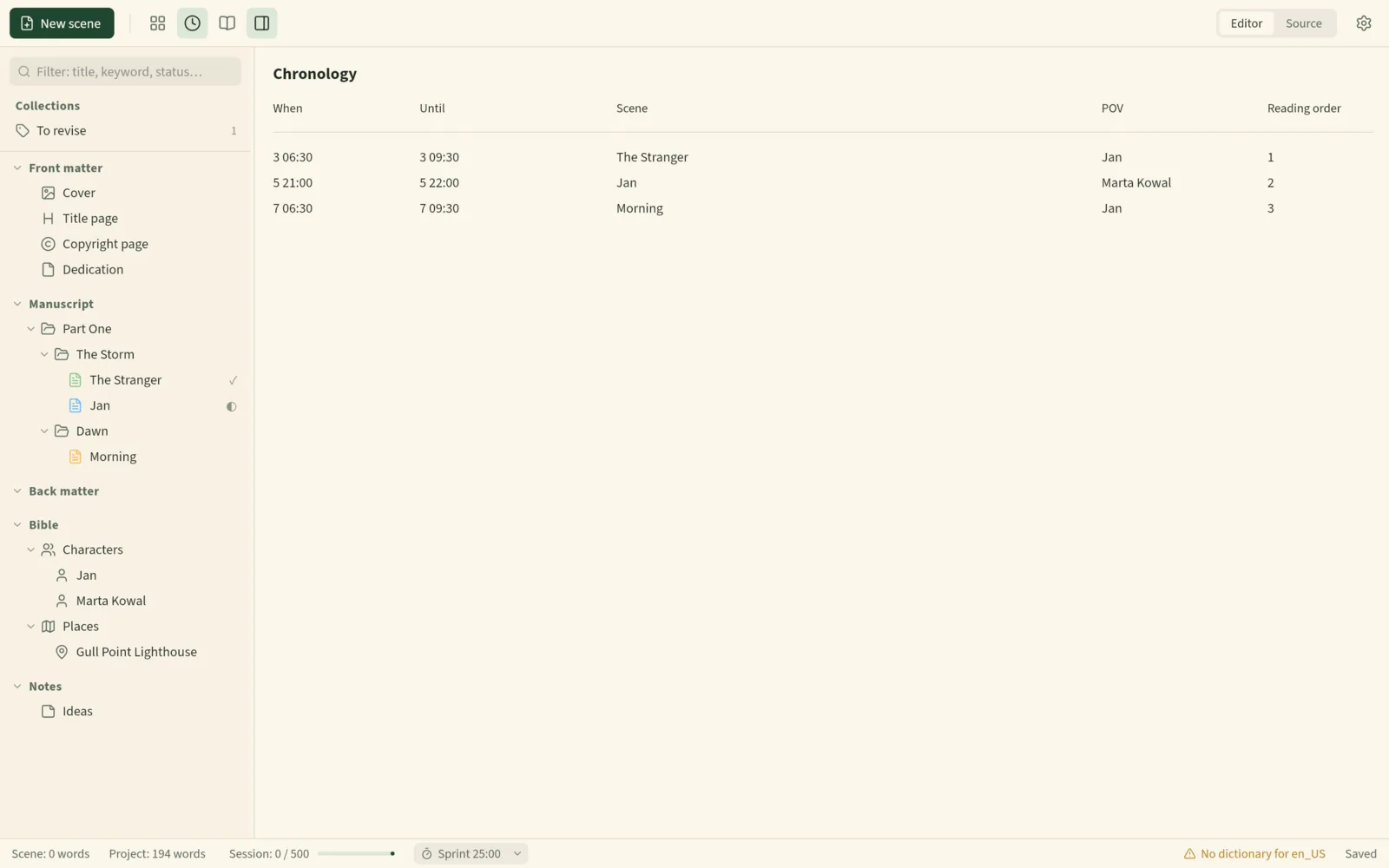
Atticus’s help centre says plotting and outlining features are not available yet and are planned. Sheafwriter has a plot grid and a story timeline, cards and outline views, and a story bible of characters and places that can be shared across a series.
How does formatting for print differ?
Atticus offers more ready-made designs — 17 preset themes and a builder for your own — and formats hardcover as well as paperback. Sheafwriter has three styles, but supports custom trim sizes in millimetres, hyphenates by the rules of the book’s language (English, Polish, German, Spanish, French or Portuguese), and also builds the print cover with spine and barcode.
When is Atticus the better choice?
- You use a Chromebook, or switch between several computers and want the book to follow your account.
- You are on Windows or Linux and want a released product now. Sheafwriter’s builds for those systems are still in testing.
- You work with an editor, co-writer or beta readers inside the app.
- You want more themes, a theme builder, hardcover, large print or box sets.
When is Sheafwriter the better choice?
- You want one desktop app from the first scene to a print-ready PDF and an EPUB.
- You want your book in plain Markdown files you own, readable in any text editor and synced with whatever you already use.
- You plan with plot threads, a story timeline and a story bible, including one bible shared by a whole series.
- You want no account, no subscription and no AI, and an app that never connects to the internet.
Sheafwriter is in beta, so expect rough edges. The Windows and Linux builds are newer and less tested than the Mac one, and there is no mobile app yet. It has three book styles for print, fewer than dedicated formatting apps, no real-time co-writing and no built-in cloud.
Frequently asked questions
Does Sheafwriter need an account like Atticus?
No. Sheafwriter has no account and no cloud. Your book is a folder of Markdown files on your own computer.
Can I use Sheafwriter without internet?
Yes. The app works offline always and does not connect to the internet.
Does Atticus have plotting tools?
According to the Atticus help centre, plotting and outlining features are not available yet and are planned. Sheafwriter has a plot grid, a chronology and a story bible.
Is Sheafwriter free?
Sheafwriter is free during the beta, with no account and no subscription. Atticus is a one-time purchase of $147.
Try the free public beta In beta testing · macOS, Windows, Linux